
Praktika – AI Language Tutor
Praktika.ai CompanyEducation
4.68.42K Reviews
- Version
- 4.45.0
- Installs
- 10.00M
- Age Rating
- Everyone
Screenshots
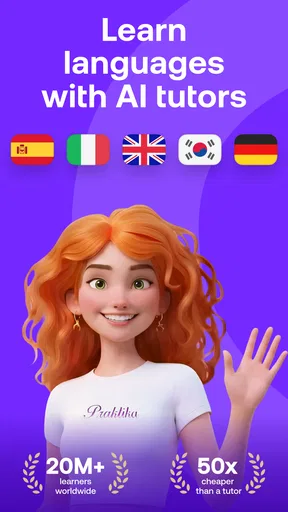
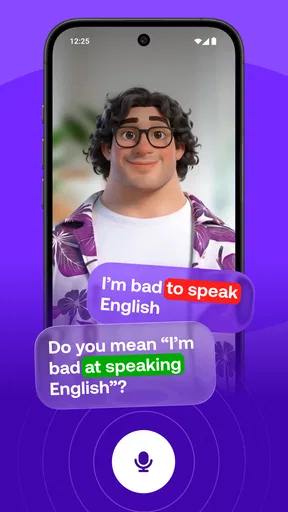
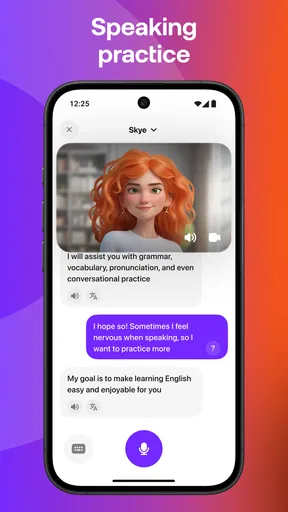
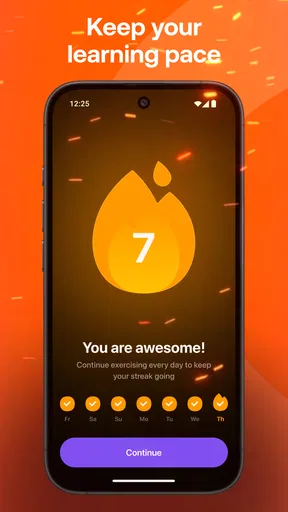
Our Review of Praktika – AI Language Tutor
 Analysis by Appyee
In a shared home, a language-learning app often ends up being used in small gaps: someone opens it while breakfast is cooking, another person borrows the phone on a commute, and a learner tries a quick speaking exercise before bed. I like that Praktika – AI Language Tutor is built around practice rather than only collecting vocabulary. That makes it a natural fit for people who want to speak more, though shared-device use calls for a little planning so one person’s learning routine does not become another person’s interruption.
Making a shared device work for language practice
A realistic household routine is to treat practice as a personal appointment, even if the phone or tablet is shared. One person can use a short window for speaking, then hand the device back rather than leaving an open conversation for someone else to continue. That small boundary matters: an AI tutor responds to the learner’s words, so a session is more useful when the same person stays with it and can act on the feedback.
I would also agree on a quiet moment for voice practice. Speaking aloud can feel awkward in a busy room, and background conversation may make it harder to concentrate on pronunciation. If a learner cannot comfortably talk, reading or written practice may be the better choice for that session. The point is to make the app fit the home, not to turn every spare moment into a lesson.
Keep accounts and expectations personal
Before letting several people use one device, I would check who is signed in and avoid assuming that a shared screen automatically means a shared learning record. Each learner should know which account or profile they are using, if the app offers that choice, and should not enter another person’s session casually. I would not rely on the app to provide household controls or separate family progress unless I had confirmed those options in the current version.
This is especially worth thinking about when a parent is helping a child begin. The adult can choose a comfortable language goal together with the learner, then stay nearby during early voice exercises if that feels appropriate. It is a practical way to explain that AI feedback is a learning aid, not a final judgement of someone’s ability. A child who prefers quieter, independent study may also do better with reading exercises or a paper notebook alongside speaking practice.
Who benefits most—and who may prefer another method
I see the strongest case for Praktika in learners who understand some of a language but need low-pressure chances to form replies out loud. A person preparing for a trip can rehearse how to keep a basic conversation moving, while someone refreshing a language after a long break can use AI dialogue to get past the first awkward minutes. The tutor’s patience is valuable when there is no available conversation partner at home.
It is less suitable as the only learning method for someone who needs a human teacher to explain a difficult grammar point, verify a nuanced translation, or guide a structured course. A live tutor can ask why a learner chose a particular phrase and adapt to context in a way an automated exchange may not. Traditional lessons, textbooks, and flashcard apps can also be better for learners who want a fixed syllabus, careful written explanation, or systematic vocabulary review rather than conversational practice.
A more useful way to practise than simply chatting
To get more from a session, I would choose one everyday situation before opening the conversation: introducing yourself, asking for clarification, or describing a small problem. Afterward, I would note one correction and reuse it in a fresh sentence later in the day. This keeps feedback manageable instead of trying to remember every suggestion at once, and it turns an AI exchange into a repeatable practice loop.
There is also a useful trade-off in how quickly an AI conversation moves. A smooth reply can keep momentum, but it may tempt a learner to accept a sentence without understanding why it works. I would pause when a correction feels surprising, say the corrected phrase aloud, and then try a variation rather than just moving on. For pronunciation, a quiet room and a steady speaking pace make the exercise more meaningful than rushing through several prompts.
Cost, age, and everyday fit
Praktika is a free education app from Praktika.ai Company, with in-app purchases ranging from $1.99 to $199.99 per item. I would begin by checking what is available without paying and whether the amount of practice suits my routine before considering a purchase. The wide possible purchase range makes it sensible to read the current in-app terms carefully; I would not treat “free” as a promise that every learning option is included at no cost.
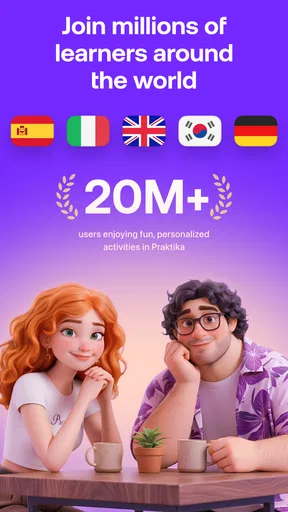
The app is rated for Everyone, and it has a 4.7 average from around 1.1 million ratings, with over 10 million installs. Those figures suggest broad interest, but they do not tell me whether a particular household will enjoy voice-based practice. Praktika was released on May 18, 2022, and version 4.6.1 requires Android 8.0 or later. A family using one device should still check that it runs comfortably and that the person practising is happy to speak into it.
Getting Started with Praktika
First things first, downloading Praktika – AI Language Tutor is a breeze. Once you've got it on your phone, you'll be greeted with a sleek, user-friendly interface that makes navigation a piece of cake. The app is designed to cater to both Android and iOS users, so no one's left out of the fun.
When you launch the app, it asks you which language you want to learn. From Spanish to Japanese, the variety is pretty impressive. I decided to brush up on my French, because who doesn’t want to sound sophisticated, right?
Interactive Learning at Its Best
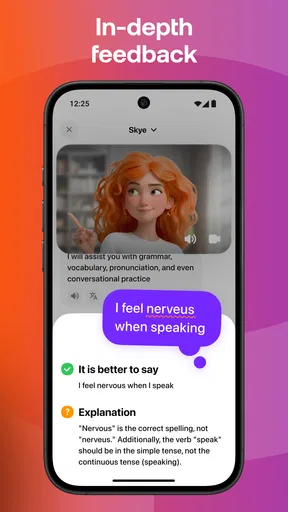
What sets Praktika apart is its interactive learning approach. The app uses AI to simulate real-life conversations. It's like texting with a friend, except this friend is super patient and knows a ton about grammar and vocabulary. You can talk to the AI, and it responds in real-time, correcting your mistakes along the way. It’s a whole new level of engaging.
The app also offers voice recognition, which means you can practice your speaking skills. I found this feature particularly helpful. It’s one thing to read and write in a language, but speaking it is a whole different ball game. Plus, the AI gives you feedback on pronunciation, so you can sound less like a beginner and more like a native speaker.
Features that Keep You Hooked
One of the standout features is the app's ability to adapt to your learning pace. If you're breezing through lessons, it ramps up the difficulty. Struggling a bit? No worries, it slows down to make sure you catch up. It’s like having a tutor who's always in tune with your needs.
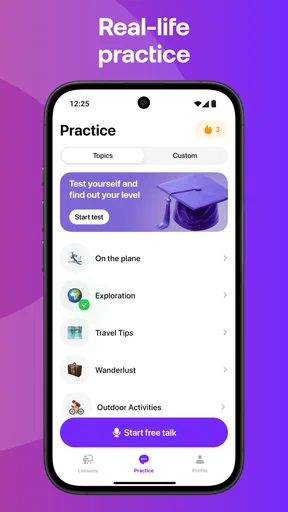
Praktika also offers a wide range of topics to choose from, so you’re not just stuck learning how to order coffee or ask for directions. Whether you're interested in business lingo or travel phrases, there's something for everyone. And the best part? It doesn’t feel like studying. It’s more like having a fun chat session.
Why You'll Love It
Now, you might be wondering if this app is worth your time. Here’s the thing: Praktika – AI Language Tutor is not just about memorizing words or phrases. It’s about immersing yourself in a language in a way that’s convenient and enjoyable. Whether you're a beginner or looking to polish your skills, this app has got you covered.
Another thing I love is the community feature. You can join groups or forums within the app to connect with other learners. It’s a great way to share tips, ask questions, or just geek out about languages. Plus, it adds a social aspect that makes learning less isolating.
Final Thoughts
In a nutshell, Praktika – AI Language Tutor is a game-changer for language learners. Its interactive and adaptive learning methods make it stand out in a sea of language apps. You get to learn at your own pace, in a way that fits your lifestyle, and with the added bonus of fun and engagement.
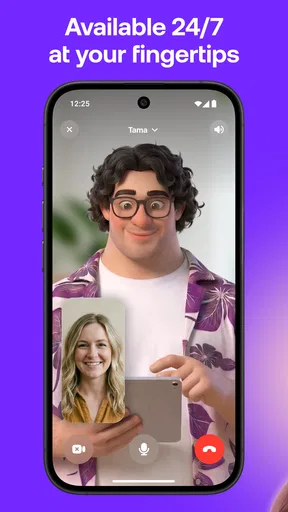
If you’re serious about picking up a new language or honing your skills, this app is definitely worth checking out. It’s like having a personal language tutor who’s available 24/7. So go ahead, give it a shot, and start your language journey today!
Privacy and Permissions
See what permissions an app requests and how it handles your data.
- Phone
- read phone status and identity
- Photos/Media/Files
- read the contents of your USB storage, modify or delete the contents of your USB storage
- Storage
- read the contents of your USB storage, modify or delete the contents of your USB storage
- Camera
- take pictures and videos
- Microphone
- record audio
- Device ID & call information
- read phone status and identity
- Other
- view network connections, pair with Bluetooth devices, change network connectivity, full network access, change your audio settings, run at startup, control vibration, prevent device from sleeping, read Google service configuration
Verdict
Strengths of Praktika – AI Language Tutor
- Interactive AI-driven lessons.
- Supports multiple languages.
- User-friendly interface.
- Instant feedback on pronunciation.
- Engaging learning activities.
Limitations of Praktika – AI Language Tutor
- Limited free version content.
- Occasional AI misinterpretations.
- Requires stable internet connection.
- No offline mode available.
- Some features are subscription-based.
Similar Picks in This Category
View All
Duolingo: Language Lessons
Duolingo4.7

Google Classroom
Google LLC2.8

Unacademy: Learn & Crack Exams
Unacademy3.2

Bible App for Kids
Life.Church4.4

Cake - Learn English & Korean
Cake Corp.4.7

Brainly: AI Homework Helper
Brainly4.5
Frequently Asked Questions
What is Praktika – AI Language Tutor?
Praktika – AI Language Tutor is an innovative app designed to help users learn and improve their language skills using AI technology. It offers personalized lessons, interactive exercises, and real-time feedback to make language learning more engaging and effective. Available for both Android and iOS, it's suitable for beginners and advanced learners alike.
How does Praktika personalize language learning?
Praktika uses AI algorithms to tailor lessons to each user's learning pace and style. By analyzing user performance, it adjusts the difficulty of exercises and focuses on areas that need improvement. This personalized approach ensures that users receive a customized learning experience, maximizing their progress and retention.
Is Praktika suitable for beginners?
Yes, Praktika is designed for learners of all levels, including beginners. The app starts with basic vocabulary and grammar, gradually increasing in complexity as users progress. Its step-by-step approach and interactive features make it easy for beginners to start learning a new language confidently and effectively.
Does Praktika offer multiple languages?
Praktika supports a wide range of languages. Users can choose from popular languages such as Spanish, French, German, and more. The app continually updates its language offerings, providing a variety of choices for users interested in expanding their linguistic skills across different languages.
What are the subscription options for Praktika?
Praktika offers various subscription plans to cater to different user needs. Users can choose from monthly, quarterly, or annual plans, with each offering different features such as offline access, premium content, and ad-free experiences. The app also provides a free trial period for new users to explore its features before committing to a subscription.
